Your Complete Production Studio. One App.
Teleprompter, video compositor, audio mixer, live streaming, and AI-powered editing — in a single native desktop app.
No credit card required. All features included.
Built for creators who work alone.
Whether you're recording tutorials, streaming live, or producing training videos — CP has you covered.
Content Creators
YouTube, Courses & Podcasts
“Tired of juggling a teleprompter, OBS, and an audio app for every single recording?”
Script, record, add AI subtitles, and publish — without switching windows.
See how →Live Streamers
Twitch, YouTube Live & Facebook
“OBS is powerful but has no teleprompter. And managing audio across apps is a nightmare.”
OBS-style scenes with a built-in teleprompter, pro audio mixer, and one-click streaming.
See how →Business & Training
Corporate, Education & Presentations
“Your training videos look like Zoom recordings. Your CEO thinks you need a production team.”
Professional teleprompter, picture-in-picture layouts, and studio-quality recording. 100% local.
See how →Your entire workflow. One app.
From script to publish, every step happens in CP.
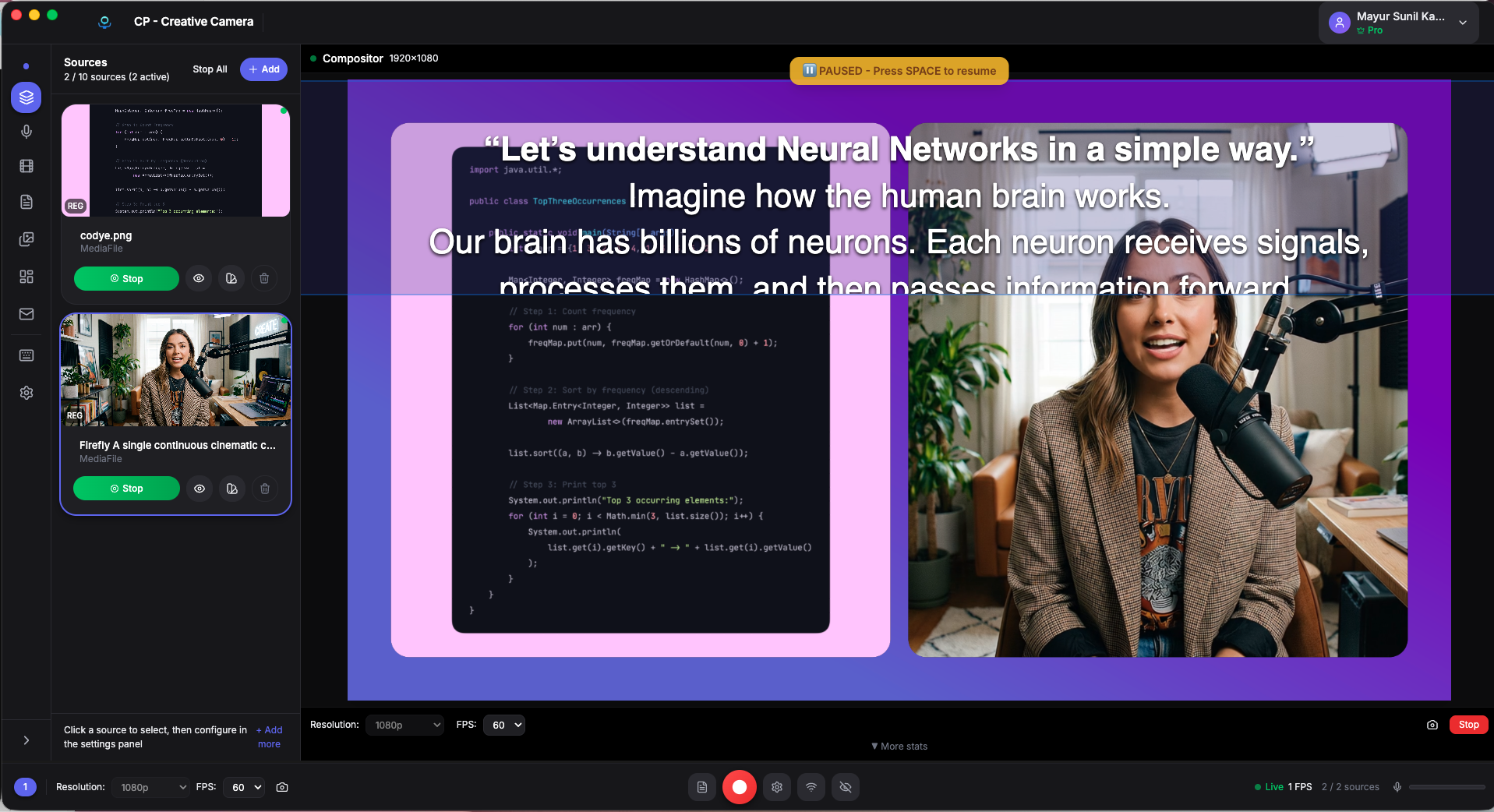
Write with confidence
- Rich text editor with formatting, highlights, and word count
- 60fps smooth scrolling — no jitter, no distractions
- Eye-line guide keeps your gaze at camera level
- Customizable fonts, sizes, margins, and opacity
Our teleprompter runs at 60 frames per second using requestAnimationFrame. That’s the same refresh rate as your display.
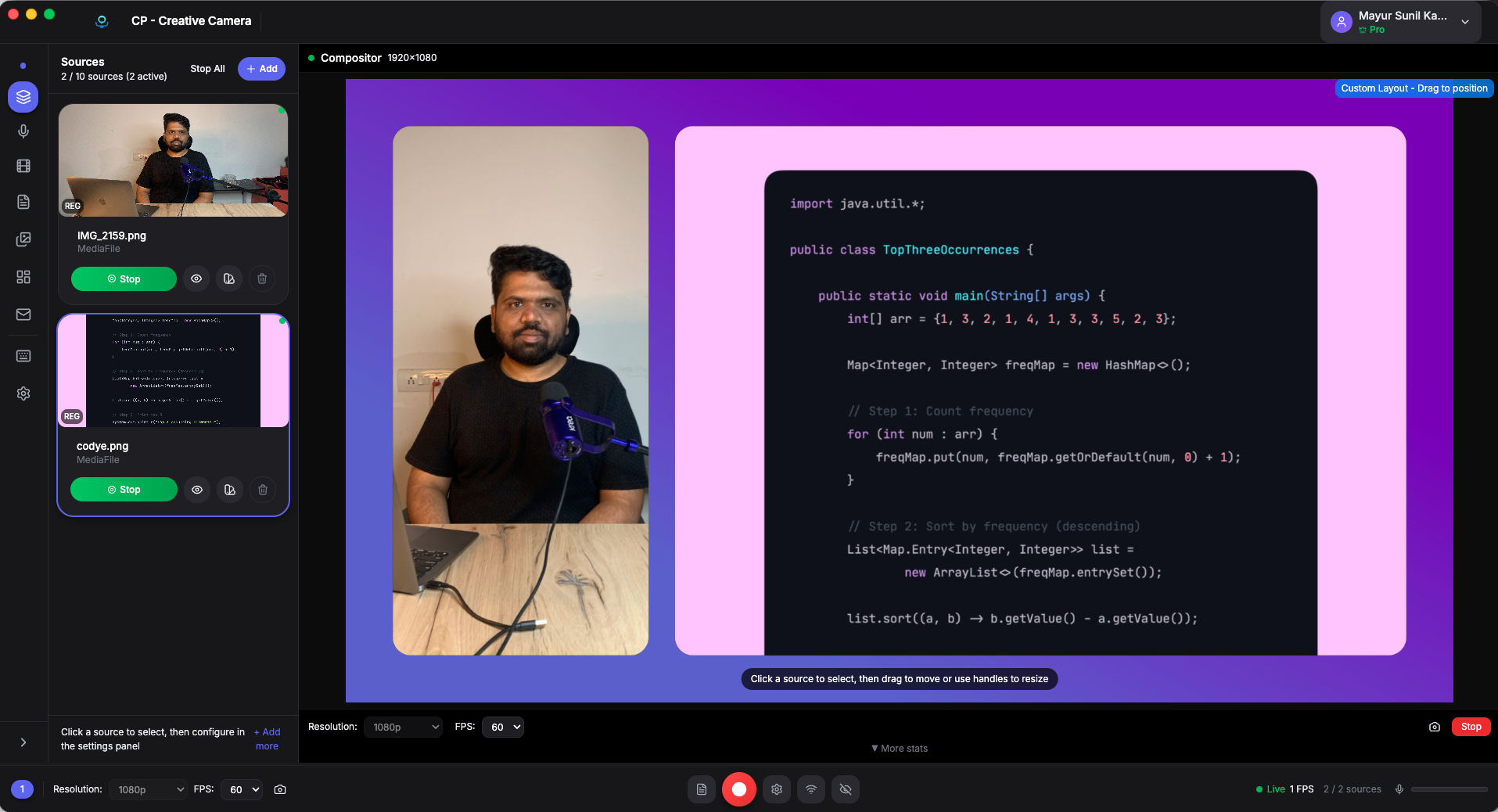
Studio layout, zero crew
- Up to 4 cameras simultaneously
- Screen capture: full display, window, or custom region
- Android phone mirroring — built-in, no extra hardware
- OBS-style scene management with keyboard shortcuts (1-9)
- Transitions: cut, fade, dissolve, wipe, slide
If you’ve used OBS, you’ll feel right at home. If you haven’t, you’ll wonder why anyone uses anything else.
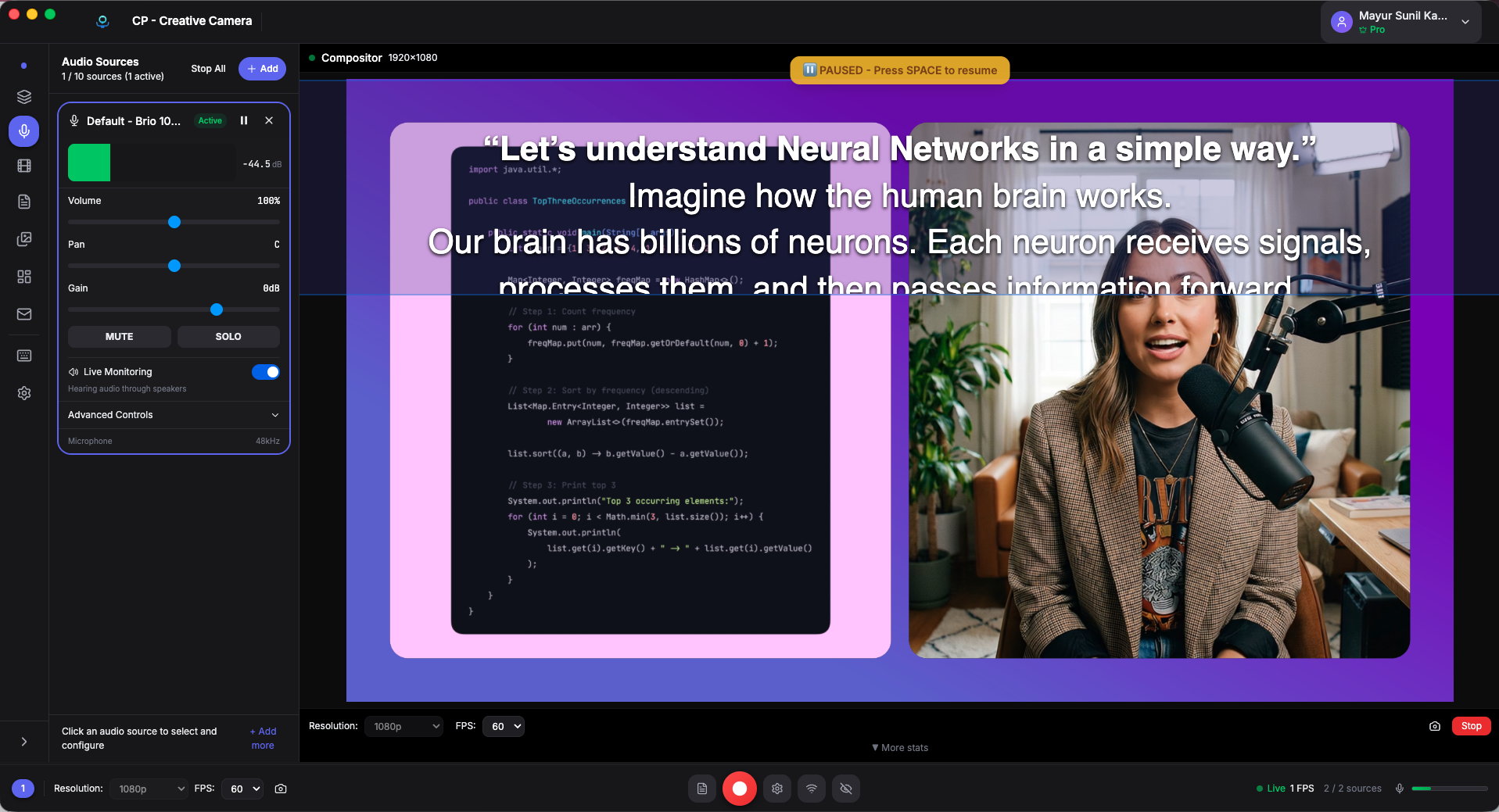
Sound as good as you look
- Real-time VU meters with professional dB monitoring
- Per-source volume, mute, and solo controls
- Input gain control (−∞ to +6 dB)
- A/V sync delay adjustment (−500ms to +500ms)
- Clipping detection and automatic warnings
Professional audio monitoring used to require a hardware mixer. CP gives you VU meters, gain staging, and sync control — all in software.
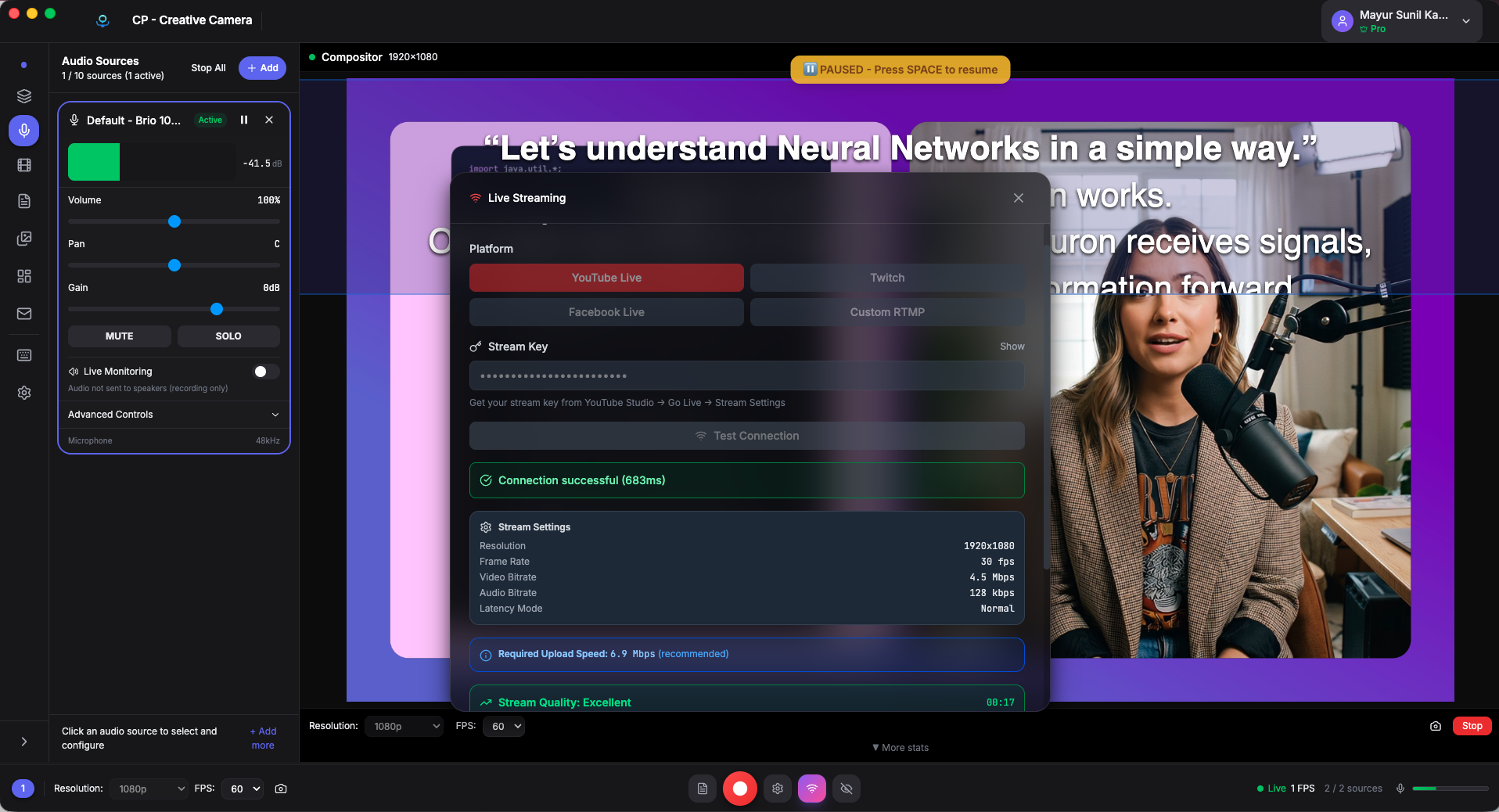
Stream or record. Your choice.
- RTMP streaming to YouTube, Twitch, Facebook
- Recording: H.264/H.265, hardware-accelerated encoding
- Quality presets: Low, Medium, High, Ultra
- Real-time stats: duration, file size, stream health
- Countdown timer and stealth mode
Hardware-accelerated encoding means your CPU stays cool while your content stays sharp.
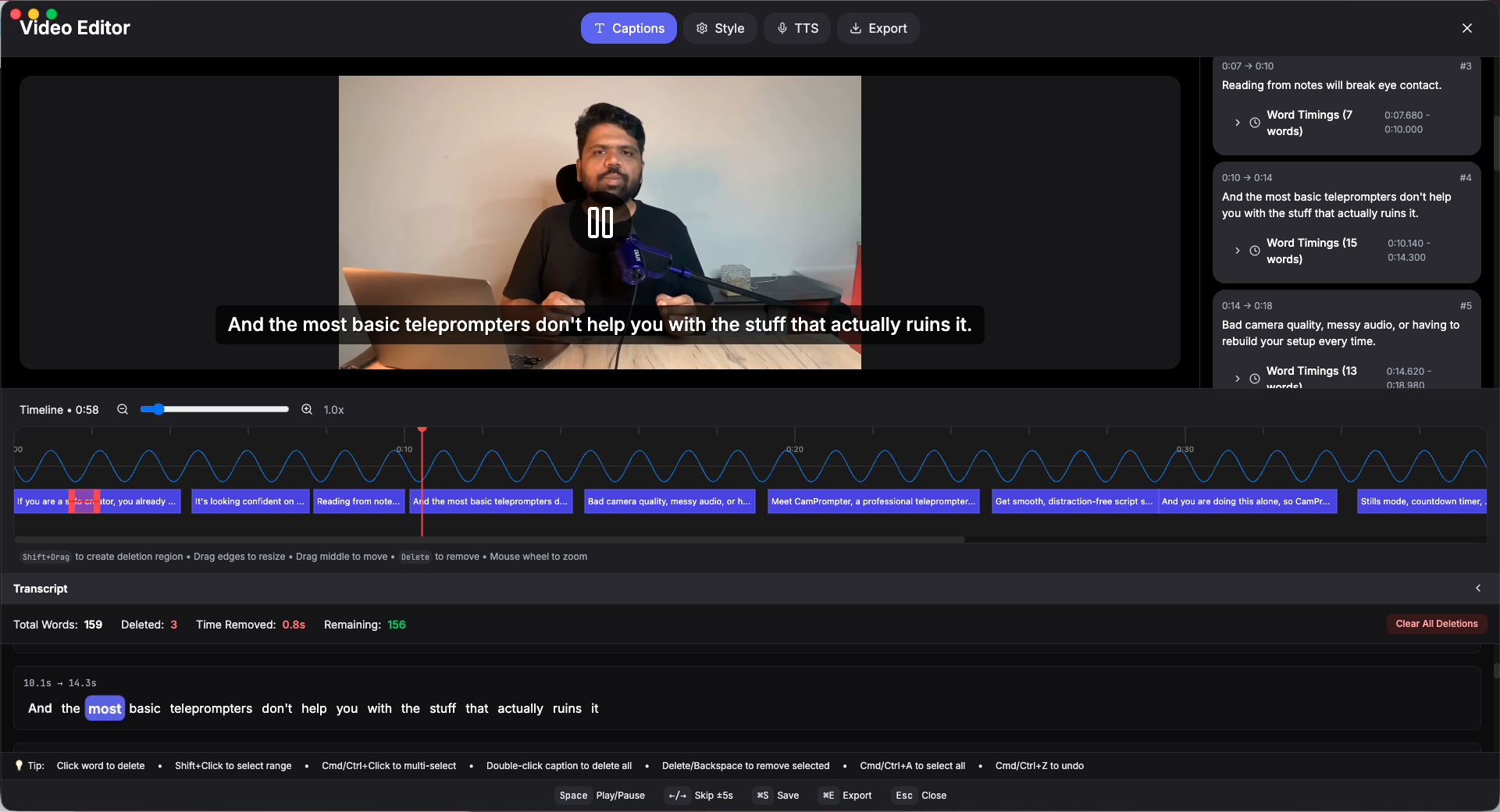
AI subtitles in minutes, not hours
- Whisper ASR: automatic speech recognition, local processing
- Subtitle burn-in: embed captions directly into your video
- Text-based editing: see your transcript, edit your video
- Export in multiple formats and quality levels
Whisper runs on your machine — no cloud upload, no waiting, no privacy concerns.
How CP stacks up.
We did the comparison so you don't have to.
| Feature | CP | OBS | Ecamm | StreamYard | Descript |
|---|---|---|---|---|---|
| Built-in Teleprompter | |||||
| Scene Compositor | |||||
| Live Streaming | |||||
| Multi-Camera | |||||
| Audio Mixer | |||||
| Android Mirror | |||||
| AI Subtitles | |||||
| Video Editor | |||||
| HW Encoding | |||||
| 100% Local | |||||
| Price | $19/mo | Free | $19.99/mo | $25/mo | $24/mo |
| Lifetime Option | $249 | — |
Only CP gives you a teleprompter, compositor, streaming, and AI editing — in one app.
See CP in action
Watch a full walkthrough of the complete production workflow.
Simple pricing. Every feature included.
No tiers. No feature gates. No surprises.
Monthly
For short-term projects
Yearly
$12.50/mo · Save $78
Lifetime
Pay once, own forever
Everything included
Ready to simplify your production workflow?
One app. Teleprompter. Compositor. Mixer. Streaming. Editor. $19/mo or $249 forever.